

Starlink Internet for RVers
Enhance your RV experience with as much connectivity as you can get. Here is what we use to make sure we can use our apps, maps and stream entertainment.
Internet that follows you — not the campground.
When we travel in our Airstream, connectivity isn’t a luxury — it’s how we work, unwind, and stay connected to the world. Starlink gives us the freedom to stream, work remotely, and explore without planning our route around signal bars or campground WiFi.
Built for remote places
Starlink connects directly to low-Earth-orbit satellites, delivering fast, reliable internet in places where cellular service doesn’t exist.
Designed for life off-grid
Starlink Mini integrates the router into the dish and runs efficiently on DC power — reducing complexity and conserving battery power.
One system. Endless use cases.
From video calls and cloud work to movie nights and live sports, Starlink delivers the bandwidth RVers need to live comfortably anywhere.
The Starlink Mini has become the #1 internet solution for full-time RVers, van lifers, and remote workers in 2026 — especially when bonodocking with solar and lithium batteries. Its low 25–40 W average power draw makes it perfect for off-grid use when paired with the right setup.
Easy DC Power Bank Options
Direct DC power from your 12 V or 48 V lithium house bank is by far the most efficient method. Using alligator clips or a fused DC barrel cable eliminates the 20–40 % loss you get running through an inverter. A typical 400–600 W roof solar system + 300–600 Ah LiFePO4 bank can run the Mini 24/7 indefinitely in most conditions.
DC Power from Your House Batteries
For maximum runtime, Upgrade your RV to lithium such as Lithionics or Epoch lithium batteries — both are proven in extreme heat/cold and integrate perfectly with Victron, Battle Born, and Renogy solar charge controllers. Many boondockers report 30–40+ hours on a single 100–200 Ah battery when using direct DC.
USB-C PD power banks (100 W+) are the new favorite for portable or emergency use. The Bouge RV 240Wh portable power bank can all run the Mini for 8–12 hours and recharge from solar during the day.
Real-world 2026 boondocking setups that achieve unlimited Starlink Mini uptime:
- 600 W roof solar + 540 Ah Lithionics/Epoch lithium → unlimited internet even in winter
- 400 W solar + 300 Ah lithium + Starlink Mini → 2–3 weeks autonomy in cloudy conditions
- 200 W portable panel + 200 Ah battery + USB-C PD → weekend warriors with zero generator noise
Bottom line: Starlink Mini + lithium + solar is the ultimate off-grid internet stack in 2026. Use our boondocking calculator to see exactly how many hours (or unlimited days) your current or future setup will deliver.
- Setup: Included AC wall adapter + 15 m cable → any 110 V outlet.
- Efficiency: ~20 % loss + inverter overhead.
- Use Case: Campgrounds or short inverter runs only.
- Setup: Alligator clips → 5.5 mm × 2.1 mm barrel (16–18 AWG, 15–16 ft).
- Runtime: Per 100 Ah lithium = 30–40 hours at 25–30 W.
- Safety: 10–15 A fuse + correct polarity.
- Efficiency: Highest possible — no conversion losses.
Links to These Componants Below
- Setup: 100 W USB-C PD power bank + USB C → Starlink Mini Barrel .
- Example: Bouge RV 240Wh power bank → = ~8–9 hours runtime.
- Efficiency: Excellent — nearly zero loss.
- Use Case: Portable, emergency, or minimal setups.
My Top 3 Recommended DC Power Cables for Starlink Mini
Direct 12V power = silent, efficient, and runs for days on lithium

12V Socket Adapter to Starlink Mini Cable
- Plugs into any 12V socket
- Built-in voltage display
- Use with Alligator Clips listed
- Waterproof & heatproof

Alligator Clip to 12V Socket Adapter
- Direct battery connection
- 16 AWG + 15A inline fuse
- Perfect for boondocking
- Clip onto any RV battery
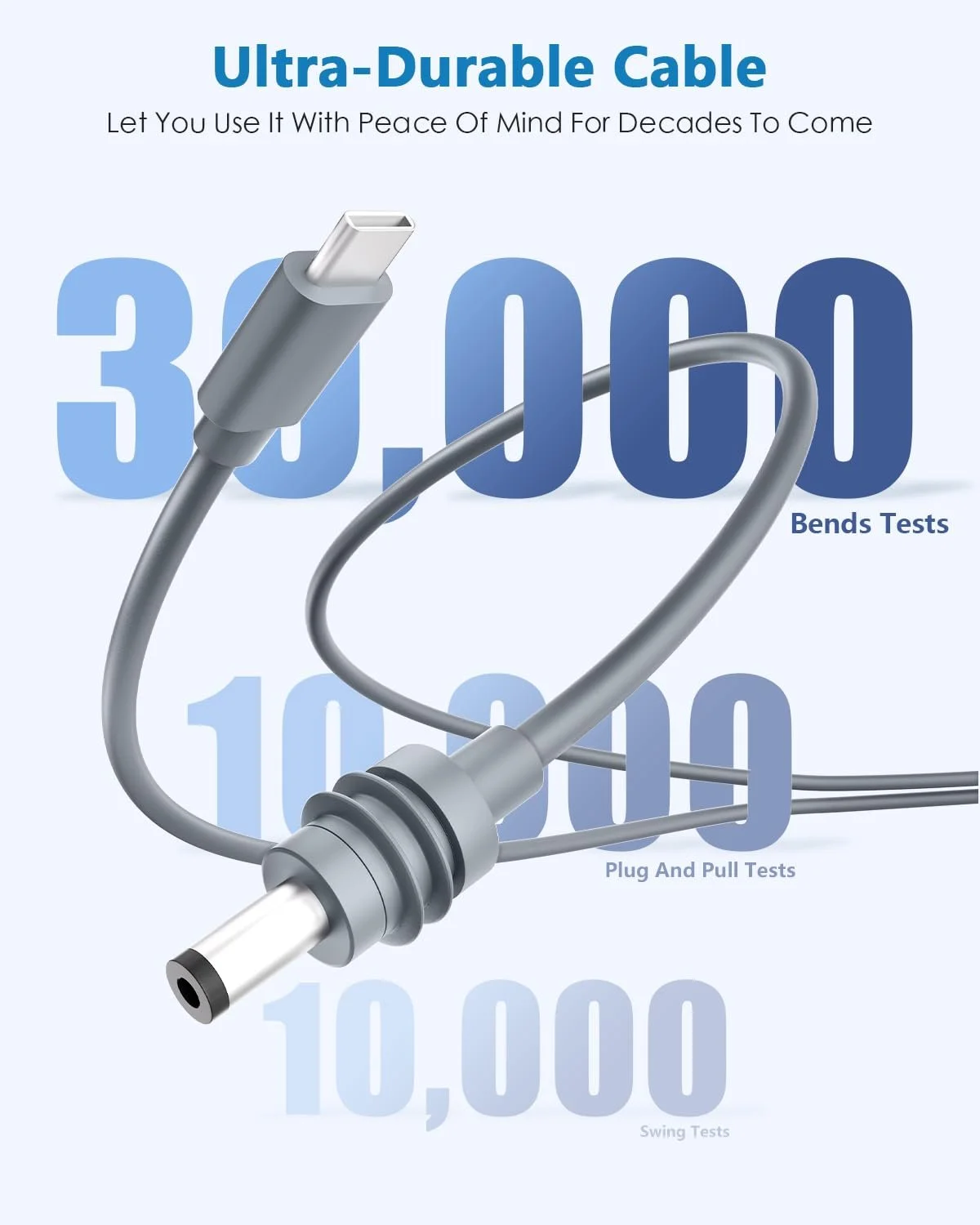
Mini USB C to DC Starlink Mini Cable
- Type-C Input to DC Barrel Jack
- Waterproof
- Upgraded to 18AWG
- Use w/ Portable Power Banks
Power-Saving Tips
Disable Snowmelt Mode: Turn off the snowmelt feature in the Starlink app to reduce power consumption by up to 50% (especially in warm climates).
Use Sleep Mode: Schedule sleep mode in the Starlink app to lower power draw to ~11W during inactivity.
Short Cable Runs: Keep DC cables under 15ft with 16-18 AWG wire to minimize voltage drop and ensure stable operation.
By choosing the right power setup, you can maximize the Starlink Mini’s efficiency and portability for your specific needs, whether you’re at home, camping, or living off-grid.
Sources: Information compiled from Starlink’s official website and user discussions on power efficiency and setups.
Best Ways to Stream TV Using Starlink
Many people RV to escape the everyday routine of their lives and bask in the beauty of nature. However, this doesn't mean you have to give up your creature comforts like binge watching your favorite shows.
Here are my TOP 3 streaming devices to add to your RV, but if you are also interested in how we watch network TV, check out YouTube TV. Just like traditional cable at home but with a built-in cloud DVR. This replaced cable at our home and you can enjoy it anywhere your RV takes you as long as you have an internet connection.
Try YouTube TVThe Apple TV is best if you are an iPhone user as it seamlessly connects to all of your devices, syncs with your iPhoto library, Apple Music & more. Get Apple TV 4K on Amazon
My top choice is the Apple TV (if you are already an Apple user). The seamless experience and the snappiest, most intuitive menu is head-and-shoulders above the rest.
Pros
- Seamless Apple ecosystem + AirPlay mirroring
- Best performance & build quality
- Dolby Vision + Apple Arcade gaming
Cons
- Higher price
- No native free channels like Roku
If I wasn’t in the Apple ecosystem, the Fire Stick would be my #1. Get Fire TV Stick 4K Max
Pros
- Excellent price
- Alexa voice remote
- 4K HDR + Dolby Atmos
- Works with all major apps
Cons
- Interface pushes Prime Video
- Slightly slower than Apple TV
Roku is the most popular for a reason — price + huge channel selection. Get Roku Streaming Stick 4K
Pros
- Cheapest option
- Biggest selection of free & paid channels
- Simple interface
Cons
- Slower menus
- Some models lack Dolby Vision
Apple household? → Apple TV 4K
Want the best bang-for-buck? → Fire TV Stick 4K Max
Want the absolute cheapest that still works great? → Roku 4K
All three are fantastic — pick the one that matches your wallet and ecosystem.
— Brandon @ Pagosa Supply Co
Starlink Frequently Asked Questions
Starlink delivers high-speed, low-latency internet using a large network of low-Earth-orbit satellites, making it one of the most reliable solutions for RVers who camp, boondock, or travel full-time. Since it doesn’t rely on cell towers or campground WiFi, Starlink provides consistent connectivity in remote areas where traditional options fail.
- Works in national parks, forests, and remote campsites
- Fast enough for HD streaming, remote work, and video calls
- Much lower latency than older satellite systems
- Ideal for full-time travelers who need dependable internet everywhere
Starlink works in most places you’ll take an RV, especially in rural and off-grid areas. However, you do need a clear view of the sky for best performance — dense trees, rock walls, or steep terrain can cause signal drops.
- Works best with open sky overhead
- Roaming plans allow use across regions
- Check the Starlink app for obstruction alerts
For maximum reliability, many RVers pair Starlink with a cellular hotspot as backup.
You can power Starlink using your RV’s AC outlets, but off-grid RVers prefer DC power for greater efficiency. Starlink Mini makes DC power even easier with lower energy draw.
- AC Power: Simple plug-and-play but less efficient when off-grid
- Direct DC Power: Best option for battery/solar RV setups
- USB-C Power Banks: Works with Starlink Mini for portable use
Use proper gauge wire (16–18 AWG for short runs), correct barrel connectors, and fuse protection for safe operation.
Yes — Starlink is one of the best RV internet options for remote workers who travel. It delivers enough speed and stability for Zoom calls, large uploads, livestreaming, cloud software, and more.
- Great for video calls and conferencing
- Handles cloud apps, VPNs, and remote desktop tools
- Low latency improves reliability over older satellite internet
To make Starlink efficient and simple to use in an RV, consider adding:
- Starlink mounting base or pole mount
- DC power cable (5.5 × 2.1 mm barrel connector)
- USB-C PD power bank for Starlink Mini
- Short, low-loss cables to reduce voltage drop
- WiFi router inside the RV for better coverage
- Cellular hotspot or router for backup connection